Why DayZ items never despawn, and how to fix it
Items that never despawn usually have no types.xml entry, so they have no lifetime. How to find the missing classes and add entries that clean them up.

On this page
You walk past the trader, and the same pile of jackets, rifles and tyres is still there from three days ago. Or your server’s performance slides a little further every week, and an admin tool shows thousands of loose items on the map that should have gone long ago. DayZ is supposed to clean up anything that’s been left alone, so why isn’t it?
Nine times out of ten, the answer is that those items have no entry in types.xml. This guide explains why that stops them despawning, where those items come from, how to find every class that’s missing, and what entry to give them.
How DayZ cleans up items
The Central Economy (CE) doesn’t only spawn loot. It’s also the system that removes it. Every item type’s entry in types.xml has a lifetime, in seconds:
<type name="AKM">
    <nominal>3</nominal>
    <lifetime>28800</lifetime>
    <!-- …the rest of the entry… -->
</type>
When an AKM spawns or is dropped, its countdown starts. If nobody touches it for 28,800 seconds (eight hours), the CE removes it. Picking it up or moving it resets the countdown. That’s how the map stays clear of abandoned loot without anyone deleting it by hand. DayZ types.xml explained covers lifetime and every other field in more detail.
The catch is where that number lives: the lifetime comes from the item’s types entry, and nowhere else. The item’s config doesn’t carry one, and there’s no setting that gives every unlisted item a sensible default. So when a class has no entry in types.xml, or in any types file your cfgeconomycore.xml lists, the CE has no lifetime for it, and it never cleans it up. The item stays where it was dropped until someone picks it up or an admin deletes it.
Where items without an entry come from
If an item has no types entry, the CE never spawns it as loot either. So how does it end up in the world in the first place? Something other than the loot economy puts it there:
- Traders. Trader mods sell whatever their config lists, whether or not it has a types entry. Players buy a new jacket, drop the old one, and the old one’s class might be fine, but the trader-only rifle they swap out next week isn’t.
- Starting gear. Custom spawn loadouts can hand out modded clothing and tools. Every fresh spawn that dies on the coast leaves another set behind.
- Admin tools. Anything spawned in with an admin menu exists whether or not it’s in your loot files.
- Crafting. Crafted results are created by the recipe, not the CE. Vanilla gives its crafted items entries for this reason, but mods that add recipes often don’t.
- Attachments and cargo. Items that spawn on or inside other items through
cfgspawnabletypes.xmlcan be classes your types files don’t mention. - Mods with incomplete types files. Some mods ship a types file that misses half their items, and updates add classes the file never catches up with.
The pattern is the same in each case: the item gets into the world without the CE’s help, and the CE then has nothing telling it when to take the item away again.
It adds up quietly
A few stray jackets don’t matter. Every item in the world is something the server has to keep track of, though, so on a busy server with a popular trader, items that never despawn build up week after week, and the server gets slower the longer it runs.
Spotting the items that never despawn
Signs that you have this problem:
- Piles that never shrink in the same few places: around traders, safe zones, spawn points on the coast, or popular bases.
- The same items every time. It’s always the same mod’s clothing, or the same set of trader weapons, never vanilla loot.
- Items older than any lifetime you’ve set. If something has been lying untouched for longer than the longest lifetime in your types files, it doesn’t have one.
For each item you suspect, get its class name. Most admin tools show it when you look at or select an item, and Workshop pages and mod configs list them too. Class names usually look like WC_Parka_Red or TraderRifle_Black, not the name shown in game.
Checking which classes are missing
Once you have a list of suspect class names, put them in a file called classes.txt in the mission folder, one per line, and check them against every types file. On a Windows server, in PowerShell, run this from the mission folder:
$entries = Get-ChildItem -Path db -Recurse -Filter *.xml | Select-String -Pattern '<type\s+name="([^"]+)"'
$known = @{}
$entries | ForEach-Object { $known[$_.Matches[0].Groups[1].Value.ToLower()] = $true }
Get-Content classes.txt | Where-Object { $_.Trim() -and -not $known[$_.Trim().ToLower()] }
On Linux:
grep -rhoiE '<type[[:space:]]+name="[^"]+"' db --include='*.xml' |
  awk -F'"' 'NR == FNR { known[tolower($2)] = 1; next }
    NF && !(tolower($1) in known) { print $1 }' - classes.txt
Both print every class from your list that no types file under db defines. These scripts check every XML file under db, so if your mod files live somewhere else, change the path, and if a file there isn’t registered in cfgeconomycore.xml, the server doesn’t load it, even though the script counts it. Like any text search, they also match entries inside XML comments.
Tip
The class names have to match the item’s config exactly. If a class is in your types file with a typo, or with a name from an older version of the mod, it’s as good as missing. When an item you’re sure has an entry still never despawns, compare the spelling character by character.
Checking in LootEngine
The scripts only check the class names you already know about. The hard part is finding the ones you don’t: every class in every mod, compared against every types file your mission loads. LootEngine’s Not in loot files filter does that comparison for you:
- Point LootEngine at your server. In the settings, choose your DayZ folder and your mission folder, and tick the Workshop mods your server runs. LootEngine reads every item from the game and the mods’ PBOs, with their in-game names and icons, along with every types file your
cfgeconomycore.xmllists. - Click Not in loot files. It’s at the top of the sidebar, with a count beside it. The grid then shows every item that exists in the game but has no entry in any types file your mission loads, which is every item that won’t spawn as loot and won’t despawn either. Each card shows the item’s class name under its in-game name, and the mod it comes from.
- Narrow it down. Combine the filter with a Kind, such as Weapons or Clothing, or with the Mod list, to work through one mod at a time. Sorting by mod groups each mod’s missing items together.
- Look for your suspects. The items you spotted piling up on the map should be in the list. If one of them isn’t, it has an entry, so the cause is one of the other reasons items stick around.
Buildings and characters are hidden from the list by default, since they don’t need loot entries. Tick Show buildings and characters not in loot if you want to see them anyway.
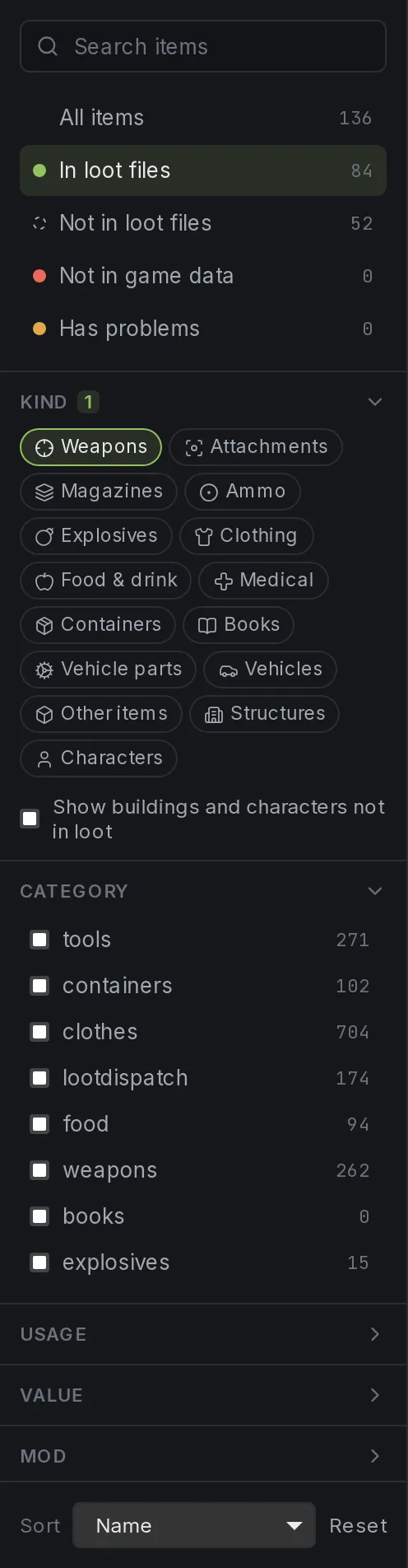
With the Weapons kind selected, Not in loot files shows 52 weapons that exist in the game but have no types entry: none of them will ever be cleaned up once they’re in the world.
The list will usually be longer than the handful of items you noticed on the map. Not every item in it is ending up in the world, but any of them could, the moment a trader sells it, a loadout hands it out or an admin spawns it.
The fix: give every item an entry
Every item that can end up in the world needs a types entry, even items you never want spawning as loot. Which entry depends on what the item is.
Items you want as loot
If the item should spawn as normal loot, give it a full entry like any other: a nominal and min that fit your economy, a category, and the usage and value where it should appear. The easiest way to get numbers that fit is to copy the entry of a similar item you already have and change the name. A new rifle starts from a similar rifle, and a new colour of a jacket from a colour you already spawn. Adding 50+ DayZ Workshop mods goes through this, and where to put mod entries, in more detail.
Items that should only despawn
Trader stock, starting gear, crafted results and admin-only items shouldn’t appear in buildings. They just need to go away when they’re abandoned. For those, set nominal and min to 0 and give them a lifetime:
<type name="TraderRifle_Black">
    <nominal>0</nominal>
    <lifetime>14400</lifetime>
    <restock>0</restock>
    <min>0</min>
    <quantmin>-1</quantmin>
    <quantmax>-1</quantmax>
    <cost>100</cost>
    <flags count_in_cargo="0" count_in_hoarder="0" count_in_map="1" count_in_player="0" crafted="0" deloot="0"/>
    <category name="weapons"/>
</type>
A nominal of 0 means the CE never spawns it, but the lifetime still applies whenever the item is in the world. Vanilla does exactly this for crafted items: they have entries with a nominal of 0, so they’re cleaned up like anything else. For a crafted item, set crafted="1" as well. There’s no need for usage or value on an item that never spawns as loot.
Choosing a lifetime
Lifetimes are in seconds. A few reference points from vanilla and common practice:
| Lifetime | Seconds | Good for |
|---|---|---|
| 1 hour | 3600 |
Cheap starting gear, food and junk players drop all the time |
| 4 hours | 14400 |
Clothing and tools from traders or loadouts |
| 8 hours | 28800 |
Weapons; vanilla uses this for the AKM |
| 45 days | 3888000 |
Tents, barrels and other storage; vanilla’s value for these |
Short lifetimes keep busy areas like traders clean. Don’t go much below an hour, though, or items a player puts down for a moment can vanish before they come back for them. And remember the countdown resets whenever someone handles the item, so a short lifetime never takes an item out of a player’s hands.
Never use 0
A lifetime of 0 doesn’t mean “forever”. The CE removes the item almost as soon as it appears, which is the opposite problem: players’ new purchases disappear at their feet.
Where to put the new entries
Put mod items in their mod’s own types file, registered in cfgeconomycore.xml, not in the vanilla db/types.xml. Entries for trader-only items can go in a file of their own, such as db/mods/Trader/types.xml, so it’s obvious later why a rifle has a nominal of 0. Before you add an entry, check the class isn’t already defined somewhere else: if it is, the file loaded last wins, and the new entry may be ignored or may replace the one you meant to keep.
After the fix
Changes to types files take effect after a restart. Then check the fix the simple way:
- Spawn or buy one of the items you added, drop it somewhere quiet, and leave the area.
- Come back after its lifetime has passed. It should be gone.
- Read the server logs after the restart for economy errors, such as a
categoryname yourcfglimitsdefinition.xmldoesn’t define.
If items that piled up before the fix are still lying around after their new lifetime has passed, clear them once with your admin tool. Anything dropped from then on will be cleaned up on its own.
Other reasons items stick around
If an item does have an entry and still seems to stay forever, check these:
- A long lifetime. Some mod files give everything tent-like lifetimes measured in days. Check the number before assuming the entry is missing.
- A different entry wins. The same class in two types files means the one loaded last is used, and its lifetime may not be the one you’re looking at.
- Players nearby. Handling an item resets its countdown, and the CE avoids cleaning up items close to players (the distance is
CleanupAvoidancein the mission’sglobals.xml). Items in a constantly busy area, like a trader, can last longer than their lifetime suggests.
Adding the missing entries with LootEngine
Once the Not in loot files filter has shown you what’s missing, you can fix each item from the same list. Click Add to loot on any of them, and Smart Add copies the entry of the item’s closest relative already in your loot, lifetime included, so a new colour of a jacket gets the same lifetime as the colours you already have. For trader-only or crafted items, set nominal and min to 0 in the item’s panel before you save. If the item has no relative in your loot, the entry starts with nominal and min at 0, so it won’t spawn, and you set the lifetime yourself.
Each new entry is checked as you go, and a class defined in more than one file shows up under Has problems, with the file the server actually uses, so you always edit the entry that counts.
A quick checklist
- List the items that never despawn, and get their class names.
- Check which have no entry in any types file your mission loads.
- Give loot items a full entry, and everything else
nominal0,min0 and a lifetime. - Put each entry in the right file, and make sure it’s the only one for that class.
- Restart, read the logs, and drop a test item to watch it go.
Every item that can end up on the ground needs an entry, even if it should never spawn as loot. Once every item has one, abandoned items get cleaned up like the rest of your loot.
Questions
Why are items not despawning on my DayZ server?
Usually because the item's class has no entry in types.xml or any types file listed in cfgeconomycore.xml. The lifetime that tells the Central Economy when to clean an item up is set in that entry, so an item without one has no lifetime and is never removed.
How do I make an item despawn without it spawning as loot?
Give it a types entry with nominal and min at 0 and the lifetime you want. A nominal of 0 means the Central Economy never spawns it, but the lifetime still applies when the item is in the world. Vanilla uses the same pattern for crafted items.
What lifetime should I use in types.xml?
Lifetime is in seconds. Vanilla uses a few hours for most loot, such as 28800 (8 hours) for the AKM, and 3888000 (45 days) for tents and barrels. For trader stock or starting gear, an hour or two to a few hours is usually enough.
Can LootEngine find items with no types entry?
Yes. The Not in loot files filter lists every item from the game and your ticked mods that has no entry in any types file your mission loads. Adding one copies its settings, lifetime included, from its closest relative already in your loot.
- types.xml
- lifetime
- Central Economy
- mods
- server performance


